
Recipes, meals and cooking help
Great food,
made your way.
Save the recipes you love and fit them to the people you cook for.
Then get help cooking the whole meal.
TableFare is invite-only for now.
- Adapt a dish you want
- Fit the people at your table
- Cook from what you have
- A grocery list for any meal
- Get help while you cook
How it works
Change a recipe
to fit your kitchen.
A look at how TableFare helps you adapt a recipe, understand what changes and bring the meal together.
1Start with what you’re craving
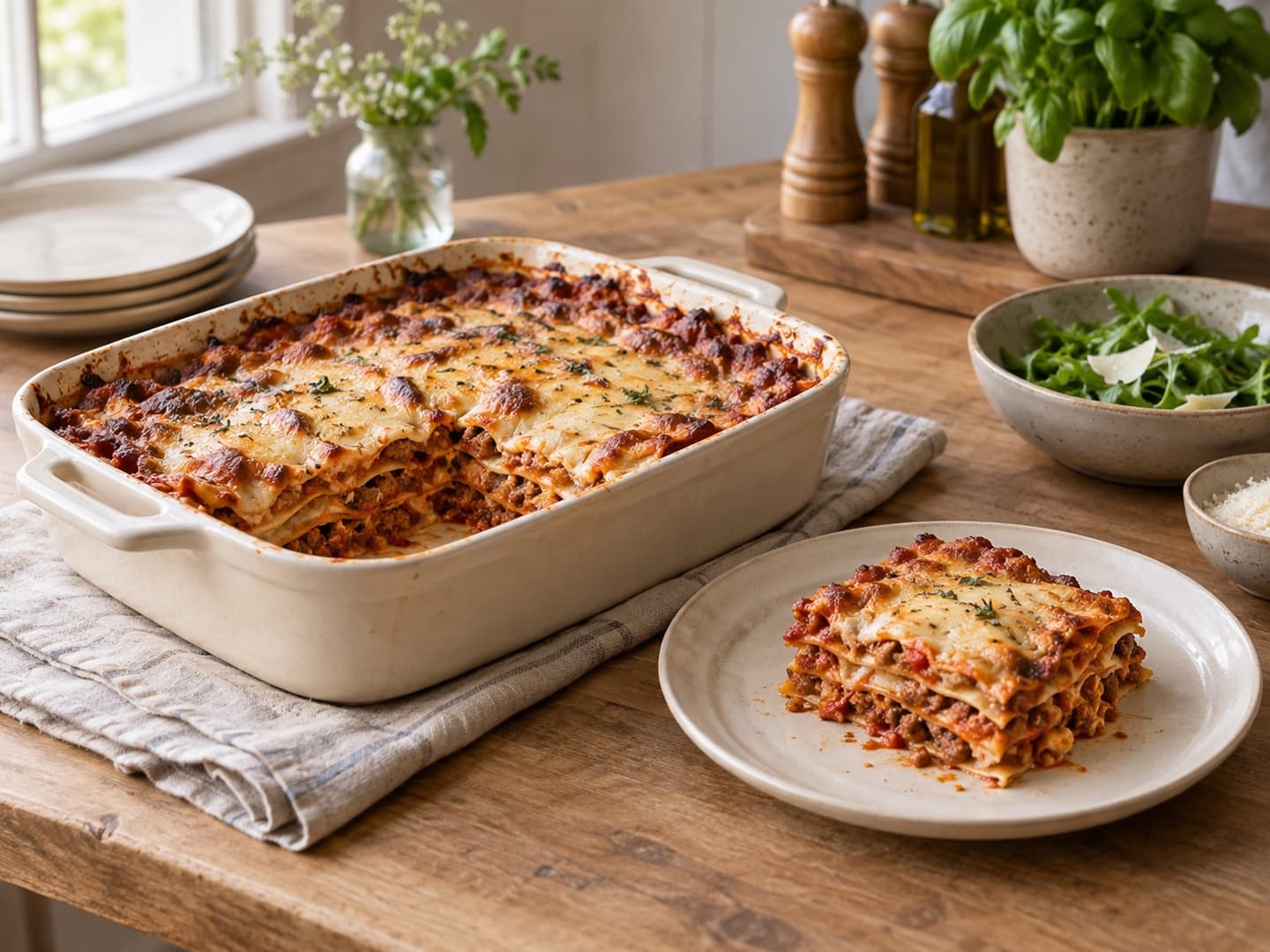
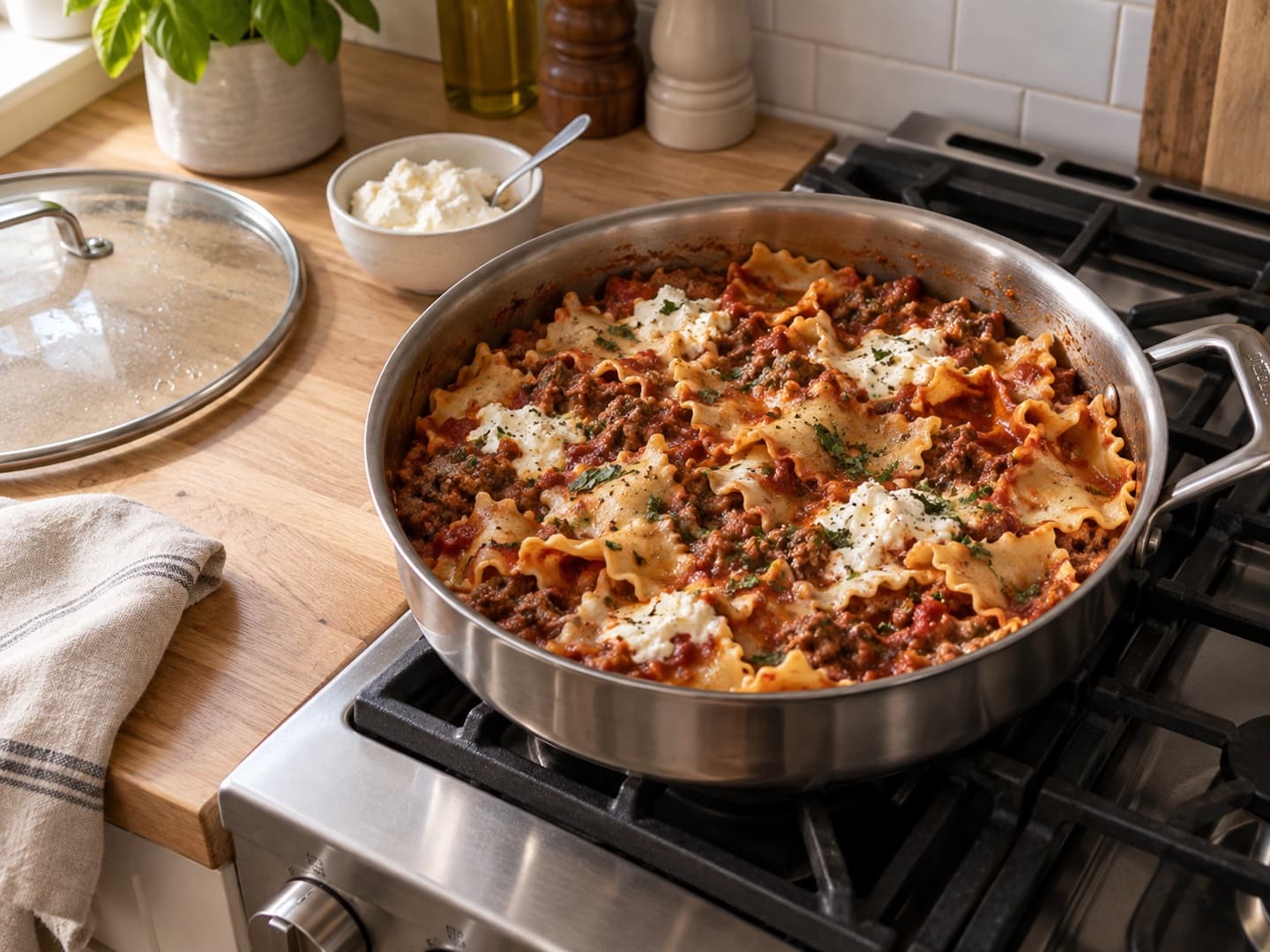
Lasagna sounds great. The oven isn’t an option.
You’ve found a lasagna you want to make. But tonight you have a stovetop and a deep skillet. Could the recipe work with what you have?
The starting point
- The craving
- Rich ragù, tender pasta, creamy cheese
- The hurdle
- A recipe built for layering and baking
- Your setup
- Stovetop, deep skillet and lid
2Explore another way to make it
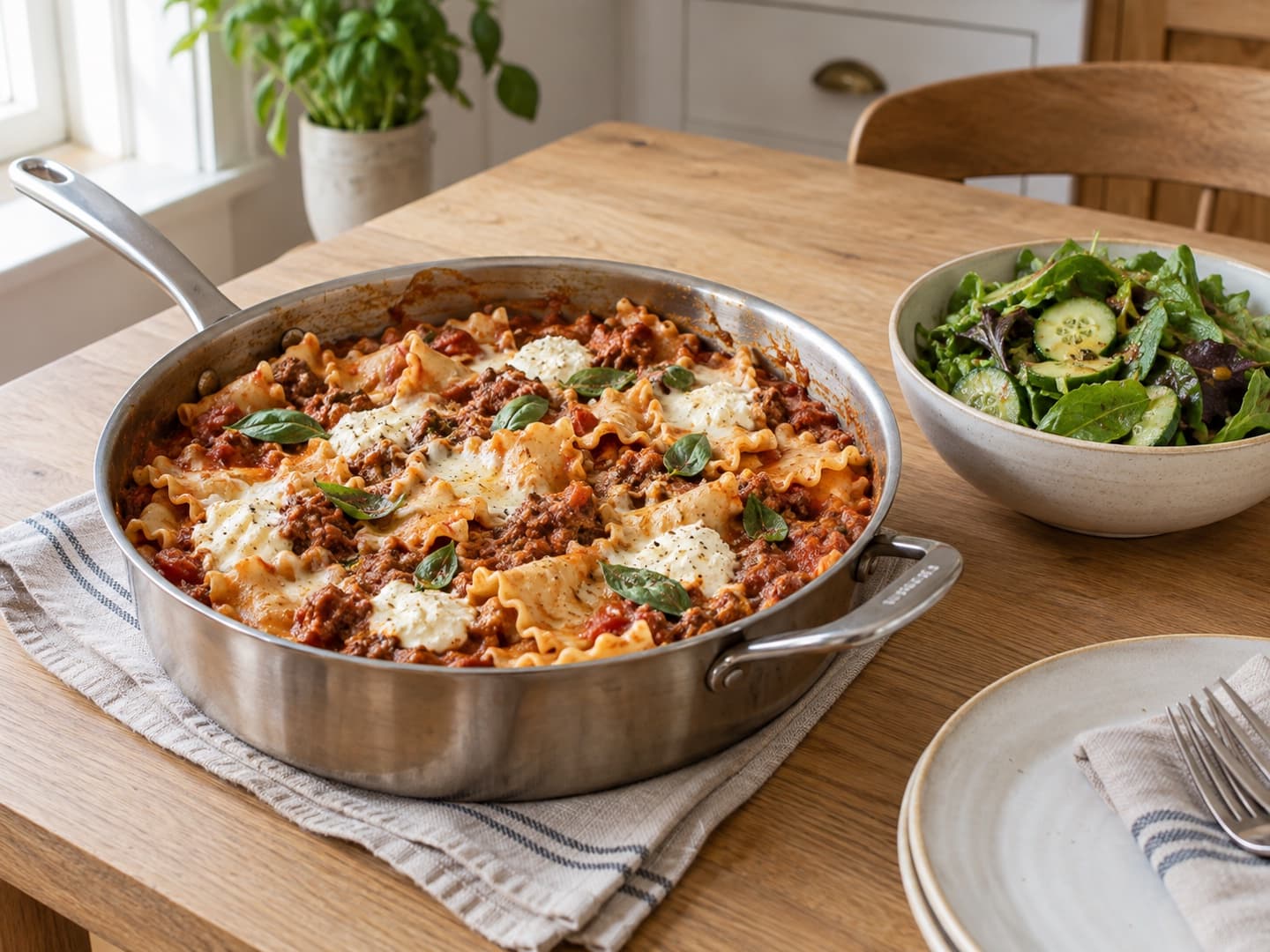
Make it in a skillet instead.
Explore a covered-skillet variation. It takes more than changing the pan: rethink how the pasta cooks, how much liquid it needs and when the cheese goes in. Review the changes before saving your version.
A method to review
- Pasta
- Broken sheets instead of stacked layers
- Liquid
- Adjusted for pasta cooking in the sauce
- Finish
- Soft, melted cheese instead of a browned top
Save the variation alongside the original, with the method changes kept together.
3Bring dinner together
Cook it with a side, step by step.
Follow the adapted steps with a green salad alongside. Use the simmering time to prepare the side, then bring your attention back to the pasta and sauce.
One coordinated cooking plan
- In the pan
- Follow the skillet variation
- Alongside
- Prepare the salad while it simmers
- Before serving
- Check pasta tenderness and sauce texture
Pasta still firm, but the sauce looks thick? Ask for help at that step without losing your place.
Use what I have
Snap the fridge.
Find tonight’s dinner.
Take a photo of the fridge, freezer or a shelf, or type what you have. TableFare lists what it sees and marks what it isn’t sure of. Fix the list, then get dinner ideas that say what you have and what you’d need.
TableFare doesn’t keep your photos. You check the list when you want ideas, so there’s no inventory to keep up.
A busy-evening example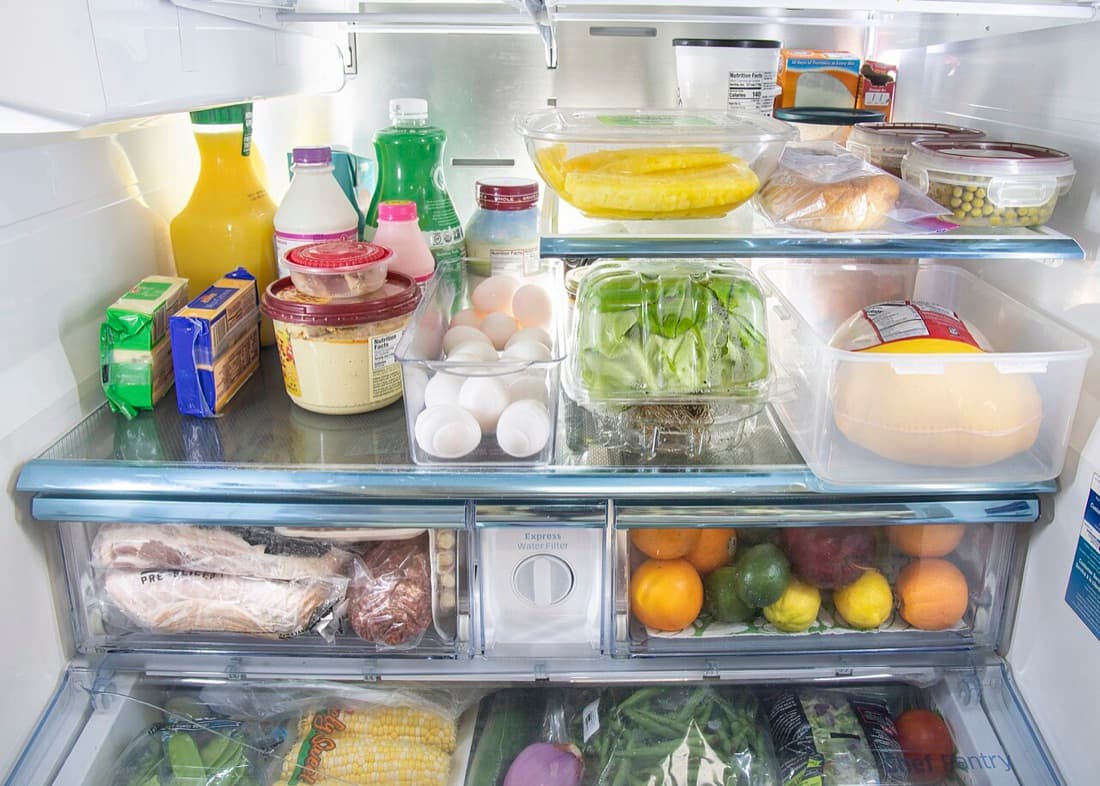
Photo: U.S. Department of Agriculture, public domain. Pins added by hand.
Real photo · real AI reading
What TableFare read
21 things, 8 marked not sure. Check it, fix it, then ask.
- Orange juice
- Whole milk
- Butter (not sure)
- Hummus (not sure)
- Pineapple
- Bread
- Peas
- Egg
- Celery (not sure)
- Cheese (not sure)
- Green bean (not sure)
- Deli meat (not sure)
- Orange
- Lime
- Lemon
- Plum
- Corn
- Green onion
- Tomato
- Spinach (not sure)
- Yogurt (not sure)
Your turn: tap a ? to say it’s there, take off anything it got wrong, or add what it missed.
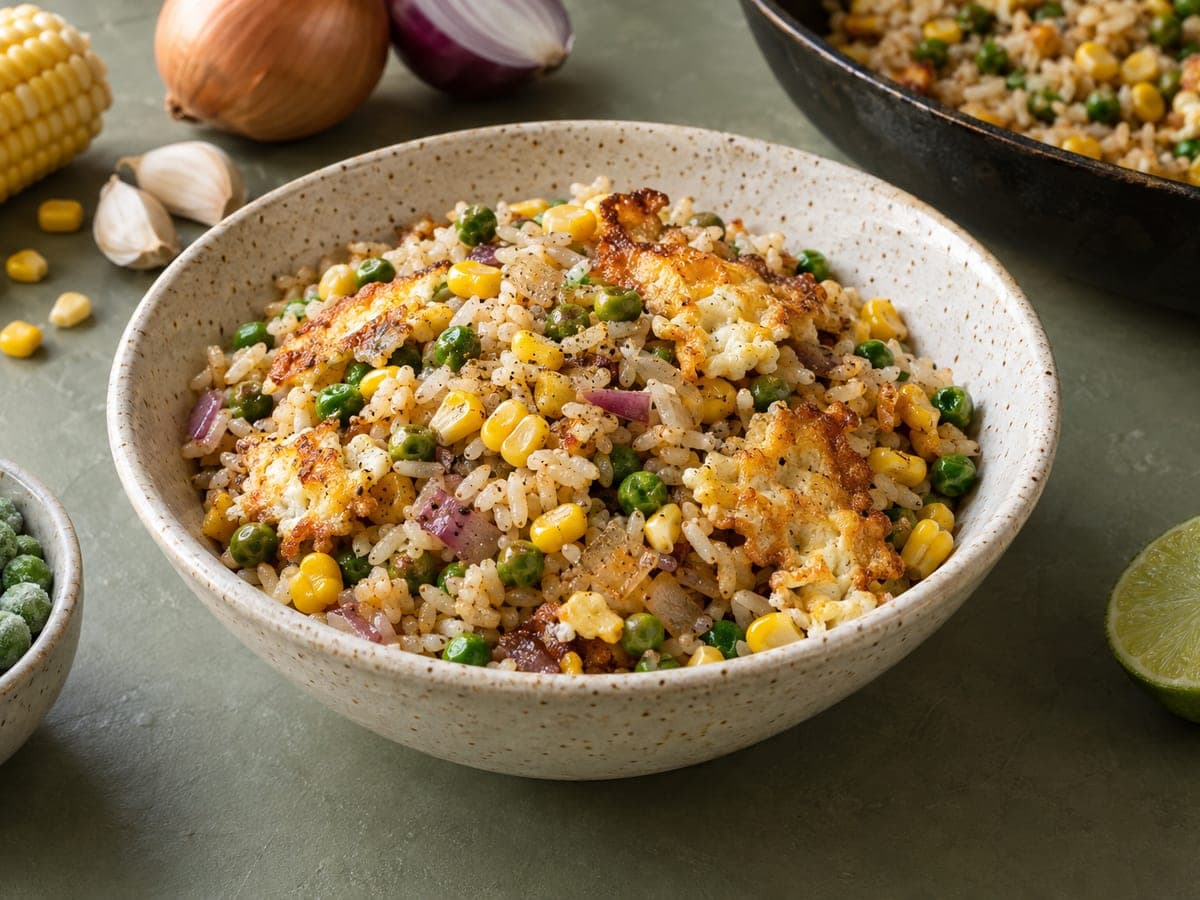
You asked: something quick for dinner tonight
Sweet corn and pea fried rice with crispy egg
A 25-minute one-pan dinner that uses up the corn, peas, green onion and eggs, with rice you already keep.
- You have
- 10 of 11
- Maybe
- 1
- To buy
- Nothing
Plan ahead
Tonight’s dinner.
The rest of the week.
Pick a few meals for the week from your recipes. Give them a day only if you want to, and shop for all of them at once.
A meal you don’t get to just waits on the list. There’s no calendar to keep up with.
Want a head start? Ask for help with a few dinners, and keep the ones you like.
Examples
How other households
might use it.
Pick an example, like a busy weeknight, a gluten-free swap or a table where everyone eats differently, and see how TableFare helps.
Different tastes
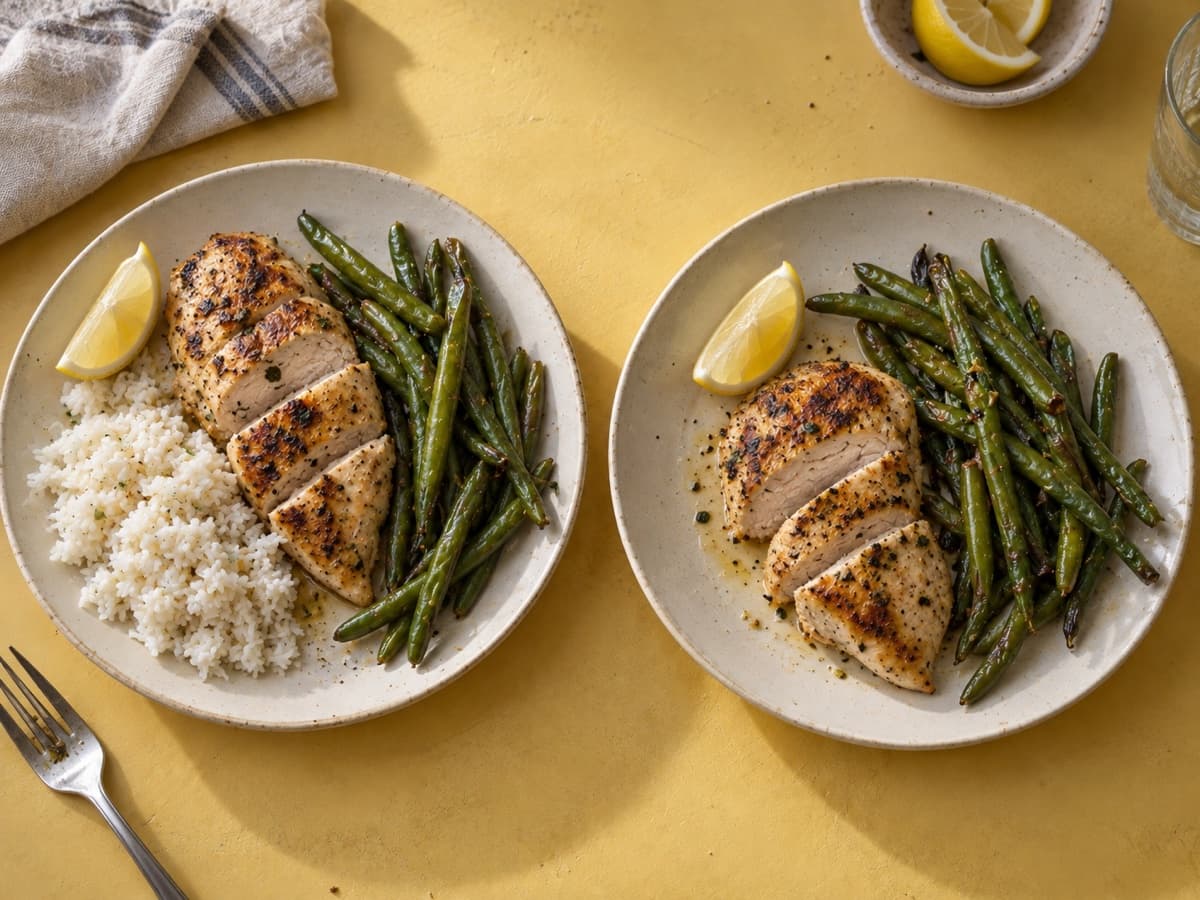
One dinner, different eaters
Two people are having lemon chicken and green beans. Only one wants rice. Set the portions for each dish instead of doubling the whole meal.
- Lemon chicken
- 2 people · 2 servings
- Rice
- 1 person · 1 serving
- Green beans
- Both people · 2 servings
Grocery quantities follow each dish’s serving count. Leaving rice off one plate does not change the chicken or vegetables.
See the full example: One dinner, different eaters
What’s planned
A free cookbook.
Paid household tools.
What’s free
Browse TableFare’s recipes, save favorites, and keep your own recipes and versions. Recipes you already imported or made with AI stay readable, and you can share any recipe with a link.
What’s in the paid plan
Importing recipes from links and photos, AI help, building and saving meals, planning, grocery lists, and cooking a whole meal with the steps lined up.
A 14-day free trial is planned. You’ll start it yourself, with no card needed to begin, and it won’t turn into a paid plan unless you buy one. Prices aren’t set yet.
Questions
Common questions
Can I use TableFare yet?
Only with an invitation for now. Join the waitlist to hear when invitations open up. Joining doesn’t give you access, a place in line or a date. The examples on this site are illustrations, and anything not built yet is marked.
Do I have to type in everything in my kitchen?
No. Snap the fridge, freezer or a shelf when you want ideas, or type a few things. You check the list TableFare reads, and it’s dated, so older items count as “maybe”. Your household’s staples, like oil, salt and rice, count too. Nothing is counted down as you cook, so there’s no inventory to keep up.
Do I need to plan a whole week?
No. Plan tonight’s dinner, or a few meals for the week.
Waitlist
Want an invitation?
Join the waitlist and we’ll email a confirmation, then news about invitations. Joining doesn’t give you access or a date.